Invoice ACH Processing
Parks & Rec > Invoice > ACH Processing
ACH Processing includes options for processing payments by automated clearinghouse (ACH).
Note: If your ACH processing settings have not been configured, this page will display a link to navigate to the ACH Settings page.
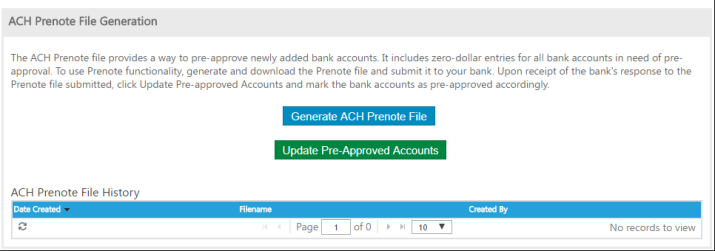
ACH Prenote File Generation creates a file of newly added bank accounts that must be approved before your organization's bank can receive ACH payments. You may submit the generated prenote file to your organization's bank for approval of new accounts.
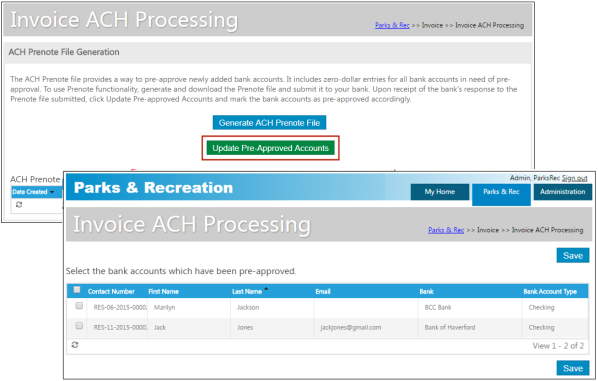
The Update Pre-Approved Accounts button opens a page to let you mark bank accounts as pre-approved for ACH payments.
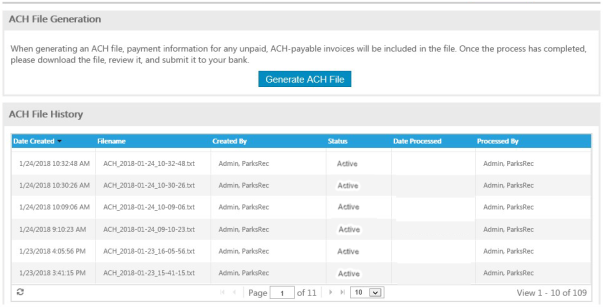
ACH File Generation displays the list of all unpaid invoices marked for payment by ACH and creates an ACH file you may submit to your organization's bank.
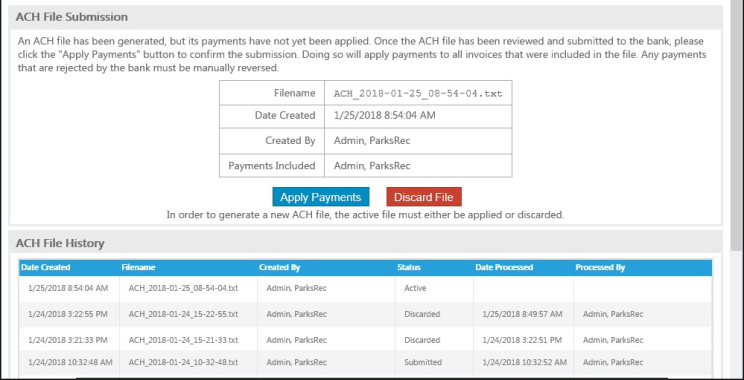
Once the ACH file is generated, you may open or save it.

After reviewing the file, you may submit it to your organization's bank.
The Apply Payments button applies payments to all of the invoices that were included in the ACH file.